AI video generation has moved far beyond the experimental clips of a few years ago. Creators can now generate cinematic scenes, animate images, create dialogue and sound effects, control cameras, and build longer sequences with increasingly sophisticated AI models.
Two names that continue to appear in creator workflows are Runway and Google Veo. However, there is an important 2026 update to the comparison: Runway has moved considerably beyond its original Gen-3 generation, while Google’s current flagship is Veo 3.1, the successor to Veo 3. Runway also now offers Gen-4 and newer models alongside Gen-3.
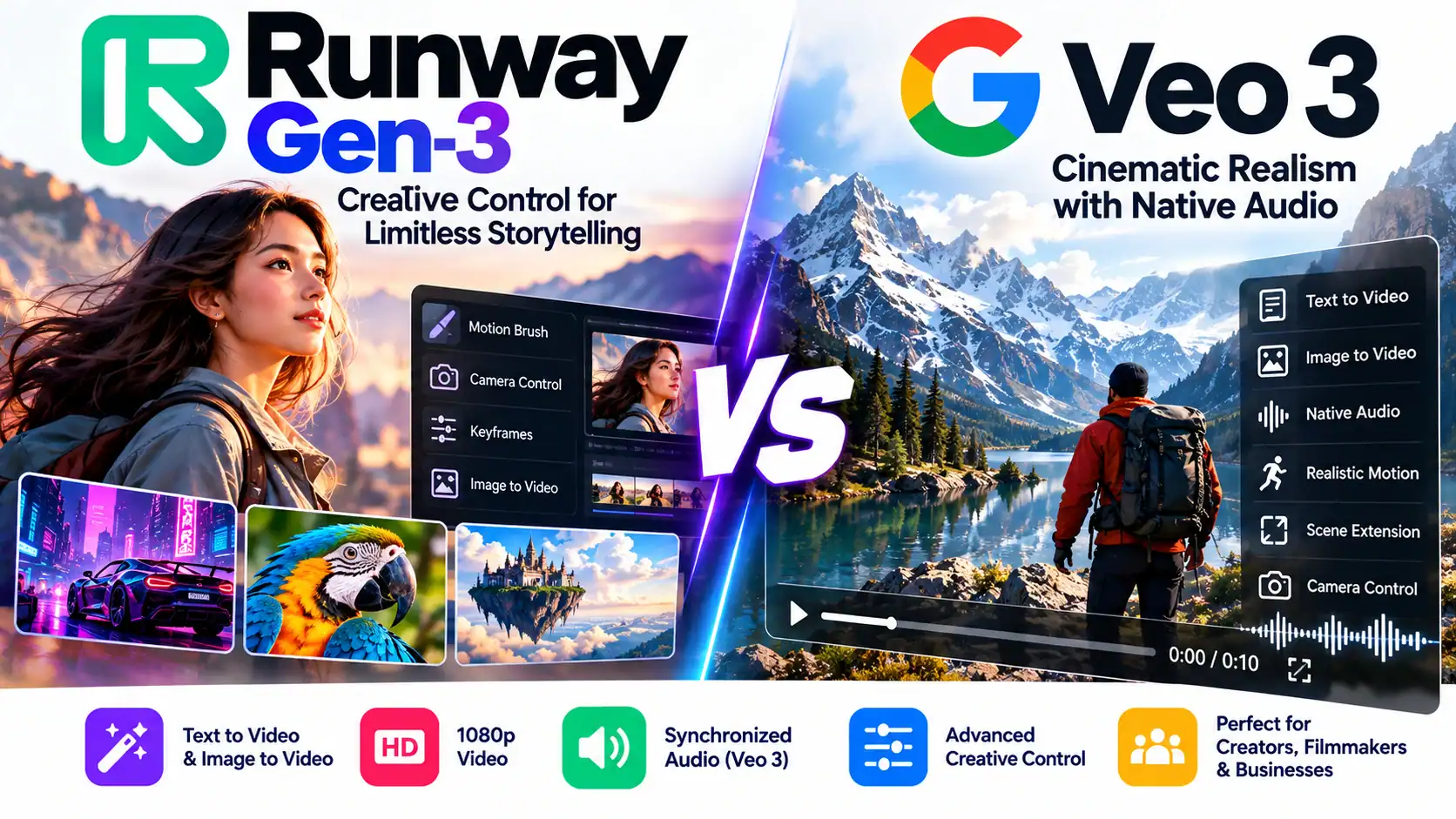
So rather than treating this as a simple “winner takes all” comparison, this Runway Gen-3 vs Google Veo 3 guide examines the technologies, workflows, pricing structures and creator use cases.
Runway Gen-3 vs Google Veo 3: What’s the Difference?
At a high level, the two platforms approach AI video creation differently.
Runway is designed as a broader creative platform, combining its own generative models with creative tools, editing capabilities, audio tools and access to third-party models.
Google Veo is Google’s video-generation model family, increasingly integrated with products such as Gemini and Google Flow. The current Veo 3.1 generation emphasizes realism, prompt adherence, creative controls, reference images, scene extension and native audio.
That means the Runway Gen-3 vs Google Veo 3 comparison is really about two different creative ecosystems rather than just two individual models.
1. Video Quality and Realism
Visual quality is naturally one of the first things creators examine.
Google Veo
Google positions Veo around realism, physics and prompt adherence. Veo 3.1 supports text-to-video and image-to-video generation and offers reference-based workflows for characters, objects and styles. It can also extend scenes while maintaining visual and audio consistency.
This makes Veo particularly interesting for:
- Cinematic scenes
- Realistic environments
- Product demonstrations
- Character-driven storytelling
- Documentary-style footage
- Advertising concepts
Google’s own published benchmark results report strong performance for Veo 3.1 in several internal human-evaluation comparisons. Those are Google’s benchmarks, however, rather than an independent universal ranking of all AI video models.
Runway
Runway’s newer Gen-4 generation focuses on consistency and controllability. Gen-4 requires an input image and can generate 5- or 10-second clips in multiple aspect ratios, including 16:9 and 9:16.
Runway therefore provides a workflow where creators can establish the visual appearance first and then animate it.
What does this mean?
For the Runway Gen-3 vs Google Veo 3 comparison, visual output should be evaluated using your own prompts rather than assuming that one model will always produce the better result.
A cinematic landscape, a talking character, an abstract advertisement and a fast action sequence can produce very different results from the same two models.
2. Native Audio: A Major Difference
One of the most significant developments in Google’s Veo family is native audio.
Google says Veo 3 and Veo 3.1 can generate dialogue, sound effects and ambient audio natively with the video.
For example, a prompt can describe:
A busy city street with distant traffic, footsteps and two characters having a conversation.
The resulting video can include corresponding sound.
Google does acknowledge that generating natural and consistent spoken audio remains an area of active development, particularly for short speech segments.
Runway has also expanded beyond purely silent video workflows. Its current platform includes generative audio capabilities, Text to Speech and Custom Voices on eligible plans.
However, this is an important distinction when discussing Runway Gen-3 vs Google Veo 3: Gen-3 itself should not be treated as equivalent to the current Runway platform’s newer audio capabilities.
For creators specifically interested in generating a video and synchronized environmental sound/dialogue in one generation, Veo’s native audio workflow is particularly relevant.
3. Creative Control
Creative control is another major part of the Runway Gen-3 vs Google Veo 3 discussion.
Runway’s platform has historically emphasized creative control and iterative workflows. Its current ecosystem includes video generation, editing and other creative applications.
Google has also significantly expanded Veo’s control features.
Veo 3.1 supports:
- Reference images
- Character references
- Style references
- Scene extension
- First and last frames
- Object insertion
- Camera controls
- Image-to-video generation
Google Flow is designed specifically around cinematic creation using Veo and other Google models.
So the old idea that Veo is simply “prompt and wait” is no longer an accurate description of Google’s current workflow.
4. Runway Gen-3 vs Google Veo 3: Aspect Ratios
Vertical video is extremely important for Shorts, Reels and TikTok.
Runway’s current Gen-4 supports:
- 16:9
- 9:16
- 1:1
- 4:3
- 3:4
- 21:9
Gen-4 outputs are available at 24 fps, with 5- and 10-second generation options.
Google Flow’s Veo 3.1 workflows also support both major vertical and landscape aspect-ratio options for supported models.
For creators producing both YouTube videos and vertical social-media content, both ecosystems can therefore fit into a multi-format workflow.
5. Pricing and Subscription Plans
Pricing is one area where the Runway Gen-3 vs Google Veo 3 comparison requires careful attention because both companies have changed their plans and credit systems.
Runway Plans
Runway currently provides a Free plan and paid tiers including Standard, Pro, Max and Team.
The Free plan includes a one-time allocation of 125 credits. Current monthly allocations listed by Runway are:
| Runway Plan | Monthly Credits |
|---|---|
| Free | 125 one-time credits |
| Standard | 625 |
| Pro | 2,250 |
| Max | 9,500 |
| Team | 6,900 per seat |
Runway’s Pro plan also includes 500GB of asset storage, Custom Voices and Text to Speech, while Max is designed for higher-volume creators and includes 9,500 monthly credits.
An important 2026 change is that Runway is phasing out Unlimited for new users in favor of Max. Eligible legacy Unlimited subscribers are scheduled to transition to Max on November 30, 2026.
What About Google Veo?
Google’s Veo access is distributed across Google’s AI products and Google Flow, while developers can also access Veo through Google Cloud.
Google Flow currently uses AI credits. For example, its current documentation lists different credit requirements for Veo 3.1 Lite, Fast and Quality generations.
For developers using the API, Google Cloud currently lists separate per-generation pricing. For example, the published pricing includes Veo 3 video-only generation at $0.20 per generation and video-plus-audio generation at $0.40, while newer Veo 3.1 Fast and Lite models have different rates.
Because Google frequently adjusts model availability and credit requirements, creators should check the current pricing page before calculating production costs.
6. Which Tool Is Better for Creators?
Instead of declaring a universal winner, consider the workflow you actually need.
YouTube Creators
Runway can be useful when you need to create and iterate on multiple visual assets within one creative platform.
Veo can be particularly interesting when your scenes benefit from native audio and realistic cinematic generation.
Short-Form Creators
Both platforms can produce vertical video, making them relevant for:
- YouTube Shorts
- Instagram Reels
- Facebook Reels
- TikTok
- Pinterest video
Filmmakers
Veo’s reference-image workflows, scene extension and camera controls can be useful for building connected cinematic sequences.
Runway’s broader collection of creative tools can be useful when generation and post-production need to happen within the same ecosystem.
AI Video Agencies
For agencies, pricing becomes particularly important.
Rather than comparing subscription prices alone, calculate:
Cost per usable second = total generation cost ÷ usable seconds
A model that generates excellent-looking footage but requires many failed attempts can ultimately cost more than its headline subscription price suggests.
7. How to Use Runway for an AI Video Project
Here’s a simple workflow.
Step 1: Create Your Story
Write your script and divide it into individual scenes.
Step 2: Create Reference Images
Generate or design the key characters, environments and products.
Step 3: Upload the Image
For current Gen-4 video generation, an input image is required.
Step 4: Write the Motion Prompt
Describe exactly what should move.
For example:
“Slow cinematic camera push toward the character while wind moves the jacket and trees in the background.”
Step 5: Generate a Short Clip
Start with a shorter generation to test the concept.
Step 6: Iterate
Change the prompt, reference image or model when necessary.
Step 7: Assemble the Video
Combine the successful clips with narration, music, captions and transitions in your preferred editor.
8. How to Use Google Veo for an AI Video Project
Step 1: Develop the Scene
Describe the subject, environment, action and camera movement.
Step 2: Add Reference Material
Use character, object or style references when appropriate. Veo 3.1 supports these workflows.
Step 3: Describe Audio
If native audio is important, specify:
- Dialogue
- Ambient sound
- Sound effects
- Background environment
Step 4: Generate the Video
Use Veo through the available Google interface or Flow workflow.
Step 5: Extend or Refine the Scene
Veo supports scene extension and other control features for supported workflows.
Step 6: Edit the Final Sequence
Combine the generated scenes with narration, titles and other production elements.
Runway Gen-3 vs Google Veo 3 Comparison Table
| Feature | Runway Gen-3 / Runway Ecosystem | Google Veo 3 / 3.1 |
|---|---|---|
| Text-to-video | Yes, depending on model | Yes |
| Image-to-video | Yes | Yes |
| Vertical 9:16 | Yes | Yes |
| Native audio | Current Runway platform has audio tools; Gen-3 itself is not the current audio-generation reference | Yes |
| Dialogue generation | Available through newer Runway tools/workflows | Yes |
| Character references | Supported in newer Runway workflows | Yes |
| Style references | Supported through newer tools | Yes |
| Scene extension | Available through Runway’s evolving toolset | Yes |
| Camera control | Yes | Yes |
| Developer API | Yes | Yes |
| Credit-based access | Yes | Yes |
| Current flagship direction | Gen-4 and newer models | Veo 3.1 |
| Best suited to | Broad creative production and iterative workflows | Cinematic generation with integrated audio and reference workflows |
Note: Features vary by model, plan and product interface, so this table should be treated as a high-level 2026 comparison rather than a guarantee that every feature is available in every tier.
Runway Gen-3 vs Google Veo 3: Which Should You Try?
The Runway Gen-3 vs Google Veo 3 debate has changed significantly because both platforms have evolved.
If you’re specifically looking at Runway today, it makes more sense to evaluate the current Runway ecosystem and newer models such as Gen-4 rather than judging the entire platform solely on Gen-3.
If you’re evaluating Google’s video technology, Veo 3.1 is the current model to examine rather than treating the original Veo 3 as the endpoint. Google currently emphasizes realism, physics, prompt adherence, reference-based generation, camera controls and native audio.
For creators, the practical choice can therefore come down to workflow:
Choose Runway when you want:
- A broad creative-production environment
- Multiple generative and editing tools
- Iterative creative workflows
- A credit-based creator platform
- Access to newer Runway models and third-party models
Consider Veo when you want:
- Native synchronized audio
- Realistic cinematic scenes
- Strong reference-image workflows
- Scene extension
- Integrated Google Flow filmmaking tools
Ultimately, the most useful way to evaluate Runway Gen-3 vs Google Veo 3 is to generate the same five or ten prompts in both ecosystems and compare the results for your specific content.
That test should include visual consistency, prompt accuracy, motion quality, audio quality, generation cost and the number of usable clips produced.
AI video generation is changing quickly, so model names, pricing and available features can change considerably within months. For a September 2026 comparison, the current Runway and Google documentation should be checked before making a purchase decision.
Official Resources
Runway
Runway Gen-4 documentation
Google DeepMind Veo
Google Flow Help