This news report contains affiliate links. We may earn a commission on purchases made through these links at no extra cost to you. Our coverage is based on official ElevenLabs information and independent hands-on testing. Please review their voice samples and plans before buying.
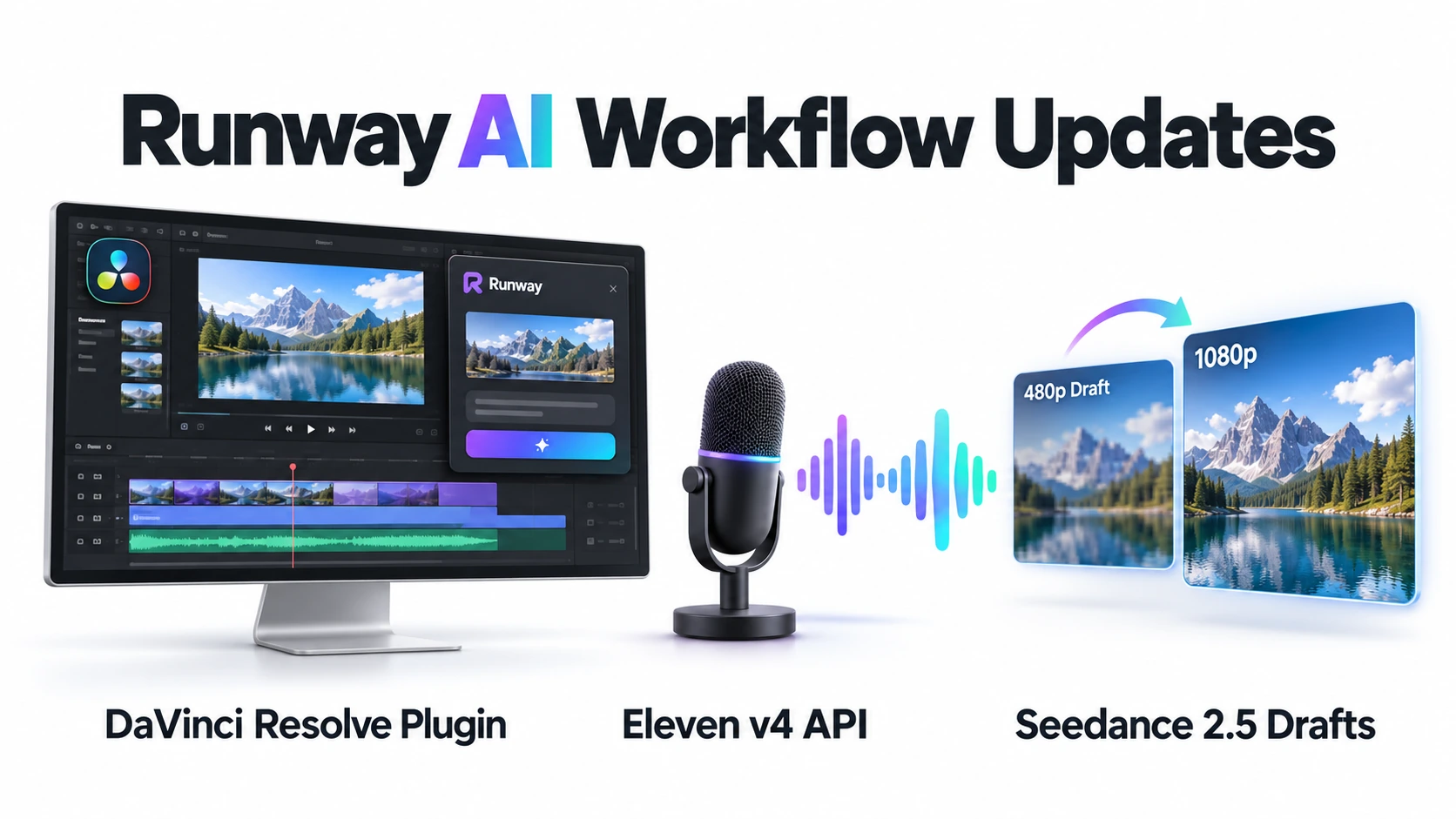
Runway is making its AI tools easier to use in professional video production. Recent updates include the Runway DaVinci Resolve plugin, support for ElevenLabs’ Eleven v4 speech model through Runway Dev, and a preview workflow for Seedance 2.5.
These developments address three practical needs for creators: generating footage while editing, adding expressive narration through an API, and testing video ideas before paying for full-quality output.
The updates were announced separately in September 2026. They should be understood as a series of Runway product improvements, rather than a single joint launch with ElevenLabs.
Runway DaVinci Resolve Plugin Brings AI Into the Editing Workflow
Announced on September 23, 2026, the Runway DaVinci Resolve plugin allows editors to generate images and videos, restyle existing footage, and import results into their Media Pool and timeline.
Previously, using Runway during an edit involved several manual steps: exporting footage, uploading it in a browser, downloading the generated result and importing it back into Resolve. The integration brings prompting and generation management into the editing application.
Editors can work with a shot under the playhead or a selected range. Runway’s Edit Studio can use keyframes to guide changes, with Aleph 2.0 re-rendering the footage to match the source duration. Results can then be compared and imported into the project.
Requirements and Availability
The Runway DaVinci Resolve plugin is free to download, but generating content uses credits from a paid Runway plan.
Users need:
- DaVinci Resolve Studio 19 or later
- A supported macOS or Windows computer
- A paid Runway account with available credits
- An internet connection for cloud generation
The free edition of DaVinci Resolve cannot load this integration. Creators should therefore check which Resolve edition they use before downloading the plugin.
Eleven v4 Adds Expressive Speech to Runway Dev
Runway announced Eleven v4 support on September 30, 2026. Developers can access the model using the identifier eleven_v4 through Runway’s text-to-speech API.
The model supports expressive audio instructions, including tags for laughter, whispering and pauses. Scripts can contain up to 2,500 characters, and the integration uses the same Runway preset voices available with Eleven v3.
For creators building automated production systems, this could make it easier to combine speech generation with other media tools accessed through Runway.
However, the confirmed announcement concerns Runway Dev and its API. It does not establish that Eleven v4 is available inside the Runway DaVinci Resolve plugin or throughout Runway’s regular editing interface.
Seedance 2.5 Draft Mode Offers Faster 480p Previews
Runway’s September 28, 2026 API update introduced draft mode for Seedance 2.5. It generates a faster 480p preview, helping users check a prompt and its references before committing to 1080p output.
If the preview is suitable, users can enhance it within seven days. The API enhancement reuses the draft’s generation settings, including its prompt, references, duration, seed and audio selection.
Runway also documents a draft workflow in its web Tools interface. In that interface, draft mode is currently limited to Tools rather than Workflows or Agent.
Drafts and Enhancements Are Charged Separately
A draft is billed at the standard 480p rate. Enhancing it to 1080p incurs a separate generation charge at the 1080p rate.
This means draft mode is most useful when creators expect to reject or revise several ideas. It can reduce spending on unsuccessful tests, but an accepted preview followed by enhancement adds the preview cost to the final generation cost.
What These Updates Mean for Creators
The Runway DaVinci Resolve plugin offers a more direct workflow for editors who already use Resolve Studio. Eleven v4 API support adds another option for developers building narration pipelines, while Seedance 2.5 drafts provide a way to evaluate shots at a lower resolution.
For MiviCAI readers, the main benefit is practical: fewer manual transfers, more flexible speech generation and better control over experimentation costs. Before using these features, check software compatibility, the exact interface where each feature is available and the credits required for both previews and final outputs.
Frequently Asked Questions
What is the Runway DaVinci Resolve plugin?
The Runway DaVinci Resolve plugin lets editors generate images and videos, restyle existing footage, and import results into their Media Pool and timeline without leaving Resolve.
Does the Runway plugin work with the free version of DaVinci Resolve?
No. It requires DaVinci Resolve Studio 19 or later on macOS or Windows. The free edition does not support this integration.
Is the Runway DaVinci Resolve plugin free?
The plugin is free to download. However, AI generation requires a paid Runway plan and uses your existing credits.
Can I edit existing footage with the Runway plugin?
Yes. You can select a shot or footage range and use Runway’s tools to change its appearance. Generated results can then be imported into your editing project.
Is ElevenLabs Eleven v4 available through Runway?
Yes. Eleven v4 is available through Runway Dev’s text-to-speech API. It supports expressive speech with audio tags for effects such as whispering, laughter and pauses.
Can I use Eleven v4 inside the DaVinci Resolve plugin?
The official announcement confirms Eleven v4 support through Runway Dev’s API. It does not confirm availability inside the DaVinci Resolve plugin.
What is Seedance 2.5 Draft Mode?
Seedance 2.5 Draft Mode generates a faster 480p preview so you can evaluate a video idea before generating its full-quality 1080p version.
Is enhancing a Seedance draft to 1080p free?
No. The draft is charged at the 480p rate, and enhancement incurs a separate charge at the 1080p rate. Draft Mode can help reduce spending on rejected ideas, but previews are not free.
How long do I have to enhance a Seedance 2.5 draft?
You have seven days after creating the draft to enhance it to 1080p.
Try ElevenLabs through my affiliate link
Official sources: