AI video generation has become one of the fastest-moving areas of generative AI. Tools from companies such as OpenAI, Google, Runway, Kling and Luma are competing to create increasingly realistic videos from simple prompts.
But there is another name that creators should pay attention to: Qwen AI Video Generator.
Qwen is Alibaba’s AI ecosystem, while Wan is the family of video-generation models powering Alibaba’s video capabilities. That distinction is important because the terms “Qwen video” and “Wan video” are often used interchangeably online, even though they refer to different parts of Alibaba’s AI ecosystem.
And the technology has moved considerably beyond the earlier Wan releases.
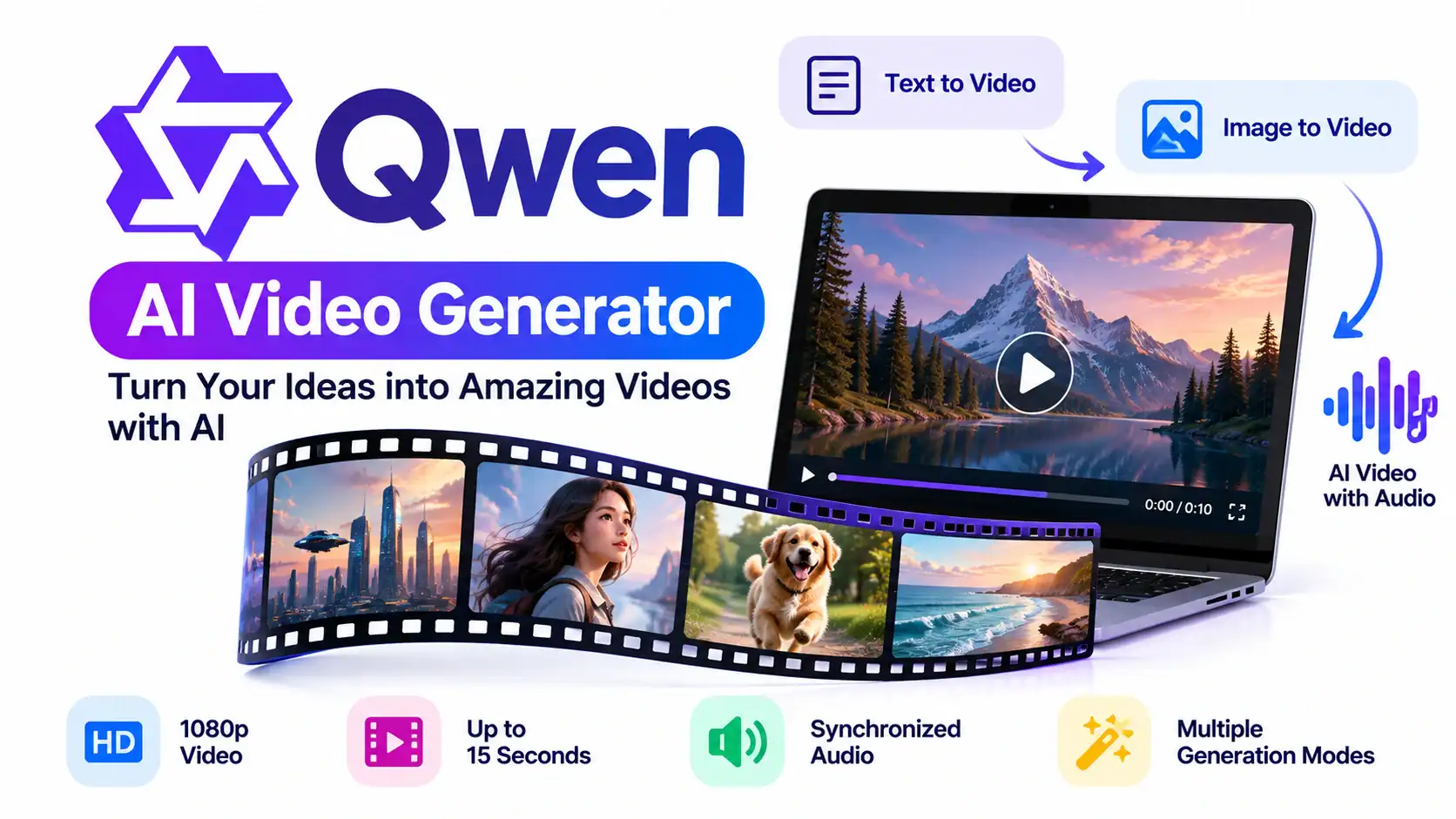
As of September 2026, Alibaba Cloud’s documentation lists Wan 2.7 as a recommended video-generation model, alongside Wan 2.6 and Wan 2.5. Wan 2.7 supports text-to-video and image-to-video workflows, 720p and 1080p output, audio-video synchronization and clips of up to 15 seconds.
So, is the Qwen AI Video Generator actually useful for creators in 2026? Let’s take a closer look.
What Is the Qwen AI Video Generator?
The Qwen AI Video Generator experience is associated with Alibaba’s Qwen ecosystem, while the underlying video-generation technology comes from the Wan family of models.
Alibaba Cloud currently provides several Wan models for different video workflows, including:
- Text-to-video
- Image-to-video
- Reference-to-video
- Video continuation
- Video editing
- Multi-shot video generation
- Audio-synchronized video
The latest Wan 2.7 models support text, images, audio and video as inputs depending on the workflow. Alibaba’s documentation says Wan 2.7 can generate 720p or 1080p video, with durations ranging from 2 to 15 seconds for its current text-to-video and image-to-video workflows.
This makes the Qwen AI Video Generator ecosystem considerably more versatile than a simple text-to-video tool.
Key Features of the Qwen AI Video Generator
1. Text-to-Video Generation
The core capability is straightforward.
You describe a scene using natural language, and the model generates a video based on your instructions.
For example:
“A cinematic aerial shot of a futuristic city at sunset, flying vehicles moving between skyscrapers, realistic lighting, slow camera movement.”
Wan’s current text-to-video models support 720p and 1080p output, with video durations of up to 15 seconds depending on the model.
For YouTube creators, this can be useful for generating B-roll, establishing shots, transitions and visual sequences.
2. Image-to-Video Generation
The Qwen AI Video Generator ecosystem also supports image-to-video generation.
You can provide an image and instruct the model to animate it.
For example:
“Slowly move the camera toward the character while the hair moves naturally in the wind.”
Alibaba’s current Wan 2.7 image-to-video workflow supports first-frame-to-video, first-and-last-frame-to-video and video continuation. It also supports audio and multimodal inputs.
This is particularly useful for creators who already generate images with Midjourney, ChatGPT, Ideogram or other image-generation tools.
3. Synchronized Audio
One of the most interesting features is audio.
Alibaba’s current documentation says Wan 2.5, Wan 2.6 and Wan 2.7 video models support audio-video synchronization. Wan 2.5, for example, supports synchronized audio generation with visuals, while newer models add broader multi-shot and narrative capabilities.
That means creators can potentially generate a scene where dialogue, environmental sounds and visual events are coordinated instead of creating a completely silent video first.
This can reduce the number of separate steps required during video production.
4. Multi-Shot Storytelling
The newer Wan models are also moving beyond isolated clips.
Wan 2.6 and Wan 2.7 support multi-shot narrative workflows, allowing creators to produce sequences containing multiple shots while maintaining greater consistency between them.
This matters because one of the biggest challenges in AI video generation is maintaining the same subject, environment and storytelling style across multiple shots.
For short-form content, this can make AI-generated sequences easier to assemble into a coherent video.
5. Image-to-Video and Reference Workflows
The Qwen AI Video Generator ecosystem isn’t limited to one input image.
Wan 2.7 also supports reference-to-video workflows. Alibaba describes the technology as supporting multimodal inputs and reference-based generation, including preservation of people or objects from reference material.
This opens possibilities for:
- Character-driven videos
- Product demonstrations
- Consistent visual campaigns
- Short films
- Social-media content
- Educational animations
Qwen AI Video Generator Pricing in 2026
This is an area where it’s important to separate the consumer Qwen experience from Alibaba Cloud Model Studio/API usage.
The Qwen/Wan video models available through Alibaba Cloud are generally offered through usage-based API pricing rather than a simple unlimited monthly video subscription.
For example, Alibaba’s current Model Studio documentation lists Wan 2.7 text-to-video at:
| Model | 720p | 1080p | Maximum Duration |
|---|---|---|---|
| Wan 2.7 Text-to-Video | $0.10/sec | $0.15/sec | 15 sec |
| Wan 2.7 Image-to-Video | $0.10/sec | $0.15/sec | 15 sec |
| Wan 2.6 Text-to-Video | $0.10/sec* | $0.15/sec* | 15 sec |
*Pricing and availability can vary by deployment region and model version.
Alibaba currently documents Wan 2.7 text-to-video and image-to-video at $0.10 per second for 720p and $0.15 per second for 1080p in the relevant international deployment.
For example, a 10-second 1080p generation at $0.15 per second would have a listed API generation cost of approximately $1.50, before considering applicable promotions, account-specific pricing or other charges.
Alibaba also provides limited free quotas for some models or promotions, but these can change. Its current promotional page, for example, lists different free quotas for selected models.
Therefore, creators should check the current Model Studio pricing before calculating production costs.
Qwen AI Video Generator: Subscription vs API Access
Unlike platforms that package video generation into fixed monthly credit subscriptions, Alibaba’s developer offering is more closely associated with pay-as-you-go API usage.
This creates two different use cases.
Casual creators
If you’re simply experimenting with AI video, a hosted Qwen experience may be more convenient because you don’t need to build an API integration.
Developers and production teams
For developers, Alibaba Cloud Model Studio provides API access, regional deployment options and multiple Wan models.
The API approach can be useful when you want to integrate video generation directly into an application or automated production pipeline.
Alibaba’s documentation also notes that API-generated videos can be configured with a watermark parameter, while videos generated through the online Model Studio experience carry an “AI generated” watermark.
How Qwen AI Video Generator Helps Creators
The Qwen AI Video Generator can fit into several content-production workflows.
YouTube Creators
Generate:
- B-roll
- Intro sequences
- Background footage
- Cinematic transitions
- Concept visualizations
Instagram and Facebook Creators
The ability to generate short clips makes Wan suitable for short-form content workflows.
Creators can generate several short scenes and edit them together in Premiere Pro, CapCut, DaVinci Resolve or another video editor.
Bloggers
A technology blogger could turn an article into a short visual explainer by generating multiple scenes illustrating the article’s key concepts.
Educators
Teachers and educational creators can use AI-generated scenes to explain scientific, historical or technical concepts.
Small Businesses
Businesses can experiment with product demonstrations, promotional clips and social-media advertisements without filming every scene traditionally.
Step-by-Step: How to Generate a Video
Here is a practical workflow for using the Qwen AI Video Generator/Wan ecosystem.
Step 1: Decide What You Want to Create
Start with a simple concept.
For example:
“A futuristic AI assistant helping a creator edit a video in a modern studio.”
Step 2: Write a Detailed Prompt
Describe:
- Subject
- Action
- Environment
- Camera movement
- Lighting
- Visual style
- Mood
- Audio requirements
Alibaba’s Wan prompt guidance recommends describing characters, actions, dialogue and the scene when creating more complex videos.
Step 3: Select Text-to-Video or Image-to-Video
Use text-to-video if you want the model to create the entire scene.
Use image-to-video if you already have a starting image.
Step 4: Select Resolution
Choose 720p or 1080p depending on your project.
For a YouTube production workflow, 1080p may be preferable when the additional generation cost is justified.
Step 5: Choose the Duration
Current Wan 2.7 workflows support durations from 2 to 15 seconds, depending on the model and task.
Step 6: Configure Audio
If the selected model supports audio, enable synchronized audio or provide compatible audio input.
Wan’s newer models support audio-video synchronization.
Step 7: Generate the Clip
Submit your prompt and wait for the model to produce the video.
Step 8: Review the Result
Check:
- Character consistency
- Facial details
- Hand movement
- Camera movement
- Audio synchronization
- Text accuracy
- Background artifacts
Step 9: Generate Additional Shots
Instead of trying to create an entire one-minute video in one generation, create several short scenes.
For example:
Scene 1: Introduction
Scene 2: Problem
Scene 3: Solution
Scene 4: Demonstration
Scene 5: Conclusion
Step 10: Edit Everything Together
Import the clips into your preferred video editor.
Add:
- Narration
- Captions
- Background music
- Logos
- Transitions
- Call-to-action
This approach gives creators considerably more control over the final video.
Qwen AI Video Generator Pros and Cons
Pros
- Supports text-to-video
- Supports image-to-video
- 1080p generation available
- Audio-video synchronization
- Multi-shot narrative capabilities in newer models
- Reference-based video workflows
- API access for developers
- Usage-based pricing
- Multiple Wan model generations available
These capabilities are documented in Alibaba Cloud’s current Wan documentation.
Cons
- Individual generations remain relatively short
- API costs can increase when producing many high-resolution clips
- Results can vary depending on the prompt
- AI-generated hands, text and fine details can still require checking
- The online experience may include an AI-generated watermark
- Access, pricing and model availability can differ by region
Is Qwen AI Video Generator Good for YouTube?
For YouTube creators, the Qwen AI Video Generator can be particularly useful as part of a larger production pipeline rather than as a complete replacement for a traditional video editor.
For example:
ChatGPT/Qwen → Script → Wan → AI Video Clips → ElevenLabs → Narration → Premiere Pro/DaVinci Resolve → YouTube
A creator could generate individual scenes with Wan, create narration separately, assemble everything in a video editor and then add subtitles.
This is also a practical approach for faceless YouTube channels.
Qwen AI Video Generator vs Traditional AI Video Tools
The biggest distinction is flexibility.
Some AI video platforms focus primarily on providing a polished consumer interface. Alibaba’s Wan ecosystem also provides developers with API access to multiple generation modes.
That means Qwen AI Video Generator can serve both experimentation and automated production workflows.
For developers, the API is particularly interesting because video generation can become part of a larger application.
For example:
User prompt → LLM → Scene generation → Wan → Video storage → Automated editing → Final MP4
Such a pipeline could eventually generate large numbers of short videos with minimal manual intervention.
Final Verdict: Is Qwen AI Video Generator Worth Trying in 2026?
The Qwen AI Video Generator has evolved significantly beyond the basic text-to-video concept.
Alibaba’s current Wan ecosystem supports text-to-video, image-to-video, reference-based generation, audio synchronization, multi-shot storytelling and video continuation, with Wan 2.7 currently listed as a recommended model in Alibaba Cloud Model Studio.
Its biggest attraction is the combination of increasingly capable video models and developer-oriented API access.
However, creators should not think of it as a completely unlimited free production platform. The current Alibaba Cloud offering uses usage-based pricing for video generation, and high-resolution generation can become expensive when producing large volumes of footage.
For beginners, it can be an interesting way to experiment with AI-generated video.
For YouTubers and social-media creators, it can provide useful B-roll, cinematic scenes and short-form clips.
For developers, the API access makes the Wan ecosystem particularly interesting because video generation can be integrated into automated applications and content pipelines.
The best way to evaluate the Qwen AI Video Generator is therefore to test it with your own prompts and compare the resulting quality, consistency, audio synchronization and cost against the other AI video tools you already use.
Official resources:
Qwen AI
Alibaba Cloud Model Studio
Alibaba Cloud Wan Video Generation Documentation
Wan 2.7 API Documentation
Pricing, model availability, free quotas and features can change. Check Alibaba’s official documentation before publishing specific pricing claims or purchasing API credits.