Luma Agents
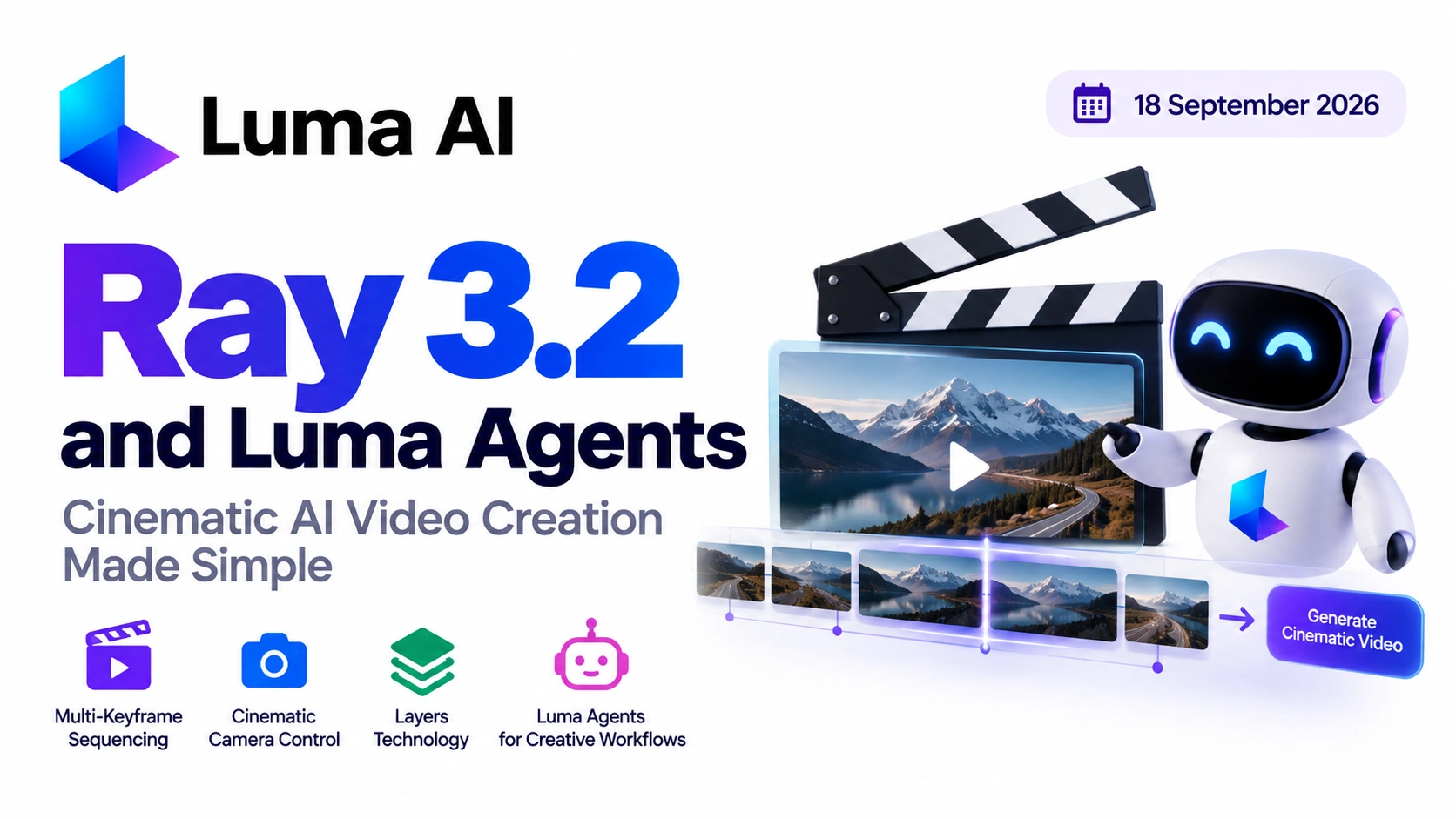
Luma is pushing AI video generation toward a more agentic creative workflow with Luma Ray 3.2 and Luma Agents. Instead of requiring creators to manually manage every prompt, model choice and iteration, Luma’s newer workflow is designed to help users move from creative intent to finished media through coordinated AI workflows.
Luma Ray 3.2 is currently Luma’s video model on the Luma Agents API. It supports text-to-video, image-to-video, multi-keyframe generation, video editing, video extension and aspect-ratio reframing.
At the same time, Luma Agents are positioned as creative agents that can plan, generate, iterate and refine creative work while maintaining context across the workflow. Luma says its agents can orchestrate multiple models and support multi-step creative processes.
For video creators, this combination could make complex cinematic production easier to manage while giving developers more control over programmable video workflows.
What Is Luma Ray 3.2?
Luma Ray 3.2 is Luma’s current video-generation model for its developer platform. It can generate videos from text prompts or reference images and also supports editing existing videos.
The model supports 5-second and 10-second video durations, with resolutions including 540p, 720p and 1080p. Supported aspect ratios include 9:16, 3:4, 1:1, 4:3, 16:9 and 21:9.
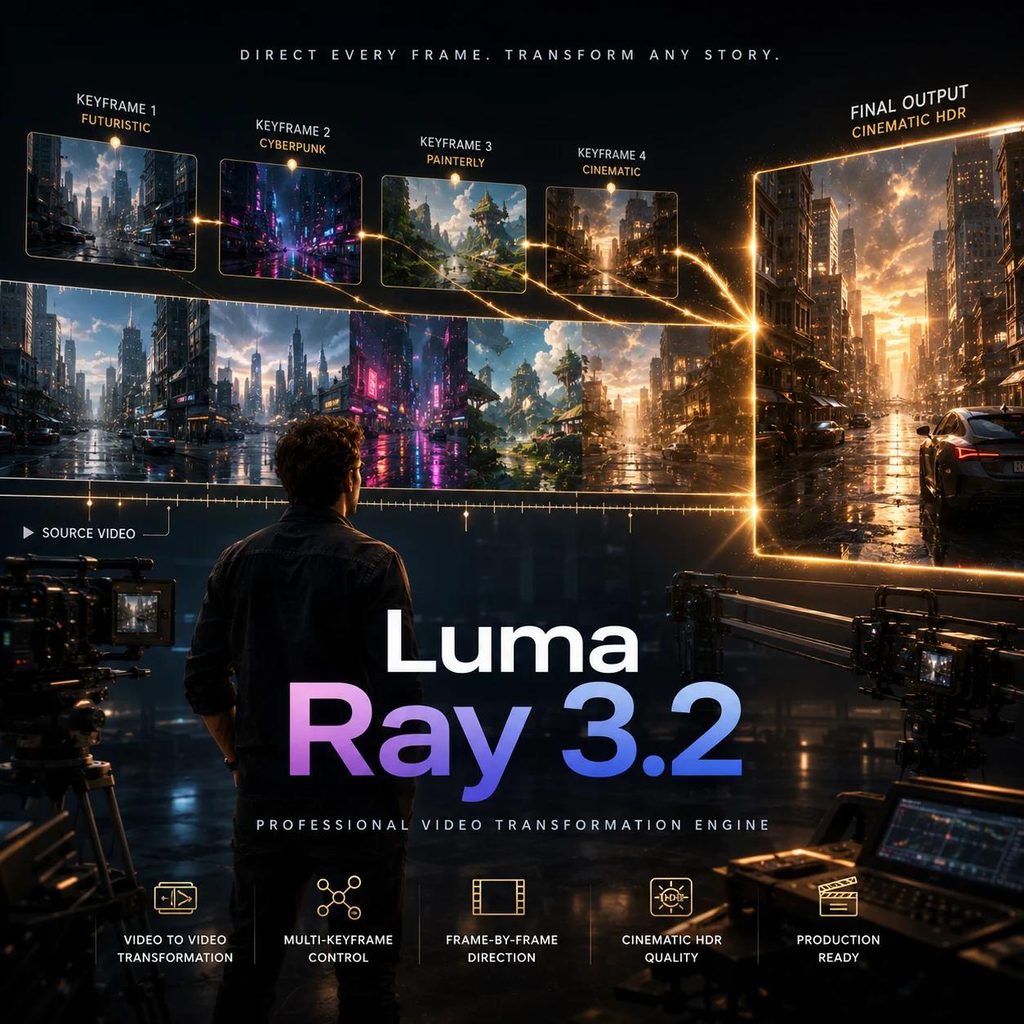
One of its notable capabilities is multi-keyframe video generation. Developers can use multiple visual anchors to guide how a sequence develops, allowing greater control over changes between different moments in a shot. The current API documentation supports up to 64 keyframe anchors for the Ray 3.2 model.
That can be particularly useful when a creator needs more control than a simple text-to-video prompt can provide.
How Luma Agents Change the Creative Workflow
Traditional AI video generation often involves a repetitive process:
Write prompt → Generate → Review → Rewrite prompt → Generate again
This can become time-consuming when a project contains multiple scenes, visual styles, characters or camera movements.
Luma’s Luma Agents are designed around a more agentic workflow. Luma describes them as creative agents that can plan, generate, iterate and refine work while maintaining context across different stages of production.
The platform can also orchestrate multiple specialized models instead of forcing creators to manually switch between every tool.
For example, a creator might begin with a simple instruction such as:
“Create a cinematic product sequence showing a luxury electric car driving through a futuristic city at night.”
An agentic workflow can help turn that creative direction into multiple generations and iterations rather than requiring the creator to manually manage every individual step.
Multi-Keyframe Control for Cinematic Sequences
One of the most important features of Luma Ray 3.2 is its support for multi-keyframe generation.
A keyframe acts as an important visual anchor. Instead of describing every change exclusively through text, creators can provide images that establish the visual direction at different points.
For example:
- Keyframe 1: A wide shot of a futuristic city
- Keyframe 2: The vehicle approaching the camera
- Keyframe 3: A close-up of the vehicle
- Keyframe 4: The vehicle entering a tunnel
The AI can then use those visual anchors to construct the sequence.
Luma’s current documentation specifically supports multi-keyframe image-to-video generation and allows up to 64 anchors through the Agents API.
This makes Luma Ray 3.2 relevant for storyboarding, advertising, music videos, product demonstrations and cinematic concept development.
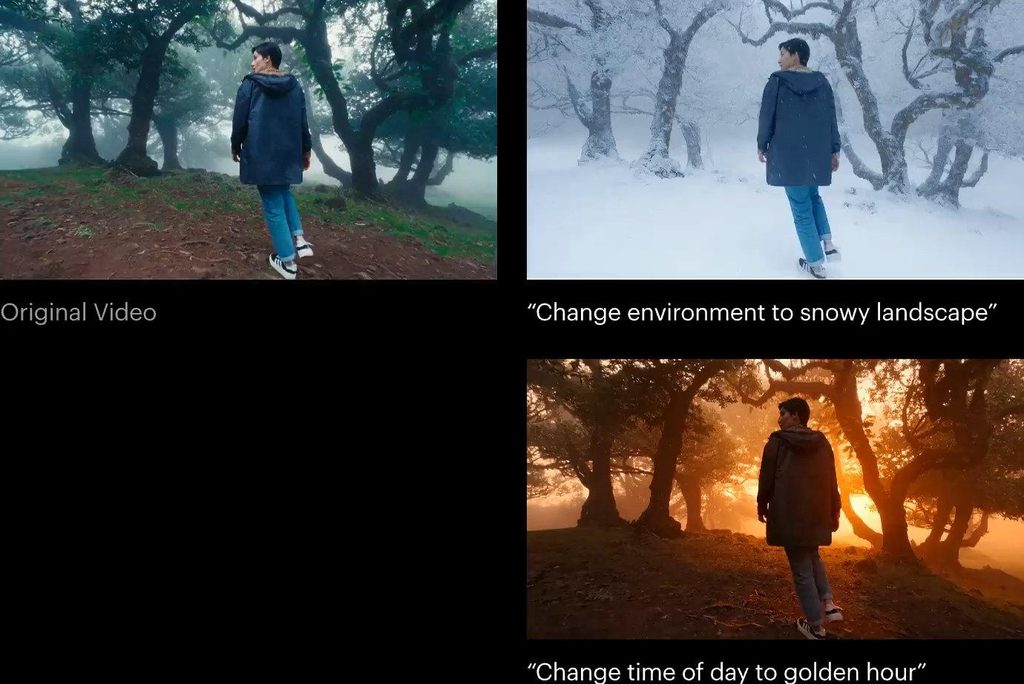
Luma Ray 3.2 Video Editing
Luma Ray 3.2 isn’t limited to generating completely new videos.
The current API supports a dedicated video_edit operation for editing existing video sources. Developers can provide a previously generated video, a hosted video URL or video data as the source.
This opens the door to workflows where creators generate a scene first and then use AI to modify or refine it.
Ray 3.2 also supports video reframing, allowing an existing video to be adapted to another aspect ratio. This is particularly useful when one piece of content needs to be published across YouTube, Instagram Reels, TikTok and other platforms.
What About Luma’s Layers Technology?
Luma has also been developing Layers capabilities that can help creators work with individual visual elements.
The current Luma Agents API provides an image-layering operation that can decompose an image into ordered RGBA layers. Luma says the system can extract up to 10 layers, which can then be independently moved, restyled or recomposed.
This is important for visual educators, designers and developers because separating elements can make creative modifications more targeted.
For example, instead of rebuilding an entire composition, a creator could work with individual elements such as:
- Background
- Main subject
- Foreground objects
- Lighting elements
- Decorative components
It is important to distinguish this current image layering capability from Ray 3.2’s video-editing features; they are complementary parts of Luma’s broader creative toolset.
How Luma Ray 3.2 Helps Video Creators
The combination of Luma Ray 3.2 and Luma’s agentic workflow can be useful for several types of creators.
1. YouTube Creators
Creators can use AI-generated sequences for intros, transitions, B-roll, storytelling and visual explanations.
2. Short-Form Video Creators
The model’s support for 9:16 output makes it suitable for vertical content designed for Shorts, Reels and TikTok.
3. Advertising Professionals
Multi-keyframe control can help visualize products and campaign concepts with a greater degree of sequence planning.
4. Filmmakers
Creators can experiment with camera movement, storyboards, visual continuity and cinematic sequences before committing to traditional production.
5. Developers
Developers can integrate Luma Ray 3.2 into applications through Luma’s API and automate video generation, editing and reframing.
6. Educators
Teachers and visual educators can use AI-generated sequences and editable visual assets to explain complicated concepts through animations and cinematic examples.
Luma Subscription Plans
Luma currently separates its consumer creative workspace from its developer API.
For the Luma App, Luma lists Plus, Pro and Ultra plans for individuals and Enterprise for businesses. Luma also says yearly billing can save up to 20%, while subscription plans include monthly credits and unused credits expire at the end of the applicable billing cycle.
For developers, Luma’s API uses a credit/usage-based system rather than the consumer subscription tiers. The current developer platform provides Build/pay-as-you-go access and Scale/Provisioned Throughput for workloads that need dedicated capacity and latency guarantees.
The current Ray 3.2 API pricing varies according to duration, resolution, request type and dynamic range. For standard video generation, the documented 5-second prices range from $0.06 at 360p to $1.20 at 1080p, while 10-second generation ranges from $0.18 to $3.60. HDR and video-editing operations have separate pricing.
Because Luma’s pricing and model availability can change, creators should check the official pricing page before beginning a large production.
Step-by-Step: How to Create a Video With Luma Ray 3.2
Step 1: Open Luma
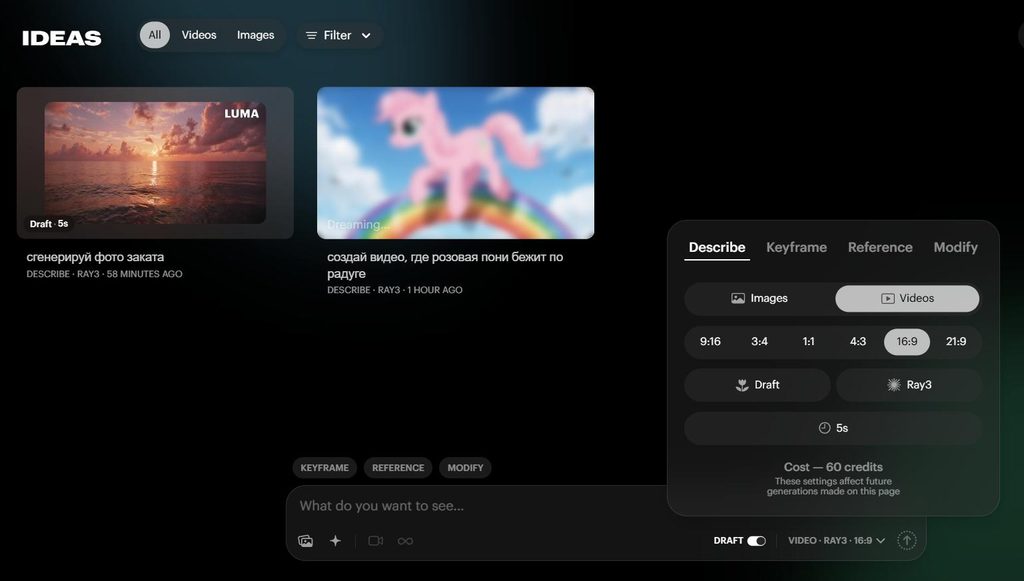
Create a Luma account and access the Luma App for creative work, or use the developer platform if you are building an application.
Step 2: Define Your Creative Idea
Start with a clear description of the scene.
For example:
“A cinematic tracking shot of a sports car driving through a rain-soaked futuristic city at night.”
Step 3: Choose Your Visual Direction
Decide on:
- Camera movement
- Lighting
- Environment
- Subject
- Mood
- Composition
- Aspect ratio
For social media, 9:16 can be selected; for traditional YouTube video, 16:9 is commonly appropriate. Ray 3.2 supports both.
Step 4: Use Reference Images or Keyframes
If you need greater control over the sequence, provide reference images or multiple keyframes.
This can help establish how the scene should look at different points.
Step 5: Generate the First Version
Use Luma Ray 3.2 to create the initial video.
Through the API, developers submit a generation request and then poll its status until the generation is completed.
Step 6: Review the Result
Check:
- Character consistency
- Camera movement
- Background
- Lighting
- Object positioning
- Motion quality
- Overall cinematic appearance
Step 7: Edit Instead of Starting Again
If the overall video is useful but requires changes, use Ray 3.2’s video-editing capability rather than automatically generating an entirely new sequence. The API supports video editing using a source generation ID, URL or supplied video data.
Step 8: Reframe for Different Platforms
Use Ray 3.2’s video-reframing capability to adapt content to different aspect ratios. This can make a single production more useful across multiple social platforms.
Developers Can Automate the Entire Workflow
For developers, the Luma Agents API provides a relatively straightforward asynchronous workflow:
1. Submit generation request → 2. Receive generation ID → 3. Poll status → 4. Download completed output
Luma’s current quickstart documentation provides official SDK examples for Python, TypeScript, Go and cURL.
This means a developer could integrate Luma Ray 3.2 into a larger application rather than manually creating every video.
For example, an automated content platform could:
Script → Scene breakdown → Reference images → Ray 3.2 → Video editing → Reframing → Final video
That type of pipeline could be particularly useful for AI video applications and automated content-production systems.
An Important Update for Existing Luma API Users
Developers using older Ray API models should pay attention to Luma’s migration timeline.
Luma’s official migration documentation says legacy models including Ray 3, Ray 2, Ray 2 Flash, Ray 2 Relaxed, Ray 3 Reference and Ray 3 Refiner are being retired from the legacy API. The migration deadline is October 5, 2026, with legacy requests continuing through October 4. Developers are instructed to migrate to ray-3.2 on the Luma Agents API.
This makes Luma Ray 3.2 particularly relevant for developers maintaining existing Luma integrations.
The Future of Agentic Video Creation
The bigger development isn’t simply another AI video model.
The combination of Luma Ray 3.2 and Luma Agents points toward a workflow in which creators describe what they want while AI systems handle more of the repetitive production process.
Instead of manually selecting models, restructuring prompts and repeatedly generating individual scenes, an agent can maintain context across multiple stages of a creative project.
Luma says its agents can orchestrate multiple models across video, image and audio workflows and support multi-step creative processes.
That could eventually make AI video production feel less like operating a collection of separate AI tools and more like working with an intelligent creative production assistant.
Final Takeaway
Luma Ray 3.2 brings together cinematic video generation, multi-keyframe control, video editing and reframing in a developer-oriented workflow. Meanwhile, Luma Agents are designed to make the overall creative process more agentic by planning, generating, iterating and refining content while maintaining context.
For creators, this can mean faster experimentation and easier production of cinematic content. For developers, it provides programmable building blocks for automated video applications.
The most important shift is therefore not just the quality of individual AI-generated clips. It is the move toward AI systems that can manage more of the creative workflow from concept through iteration and delivery.
Frequently Asked Questions
Luma Ray 3.2 is Luma’s current video-generation model on the Luma Agents API. It handles text-to-video, image-to-video, multi-keyframe generation, video editing, video extension and aspect-ratio reframing.
It supports 5-second and 10-second durations at 540p, 720p and 1080p.
9:16, 3:4, 1:1, 4:3, 16:9 and 21:9 — so the same model covers YouTube, Reels, Shorts and TikTok formats.
The current API documentation supports up to 64 keyframe anchors on Ray 3.2. Keyframes act as visual anchors at different points in a shot, giving you more control than a text prompt alone.
Yes. The API includes a dedicated video_edit operation. You can supply a previous generation ID, a hosted video URL or video data as the source, which means you can refine a scene instead of regenerating it from scratch.
Luma Agents are creative agents that plan, generate, iterate and refine work while keeping context across the workflow. Luma says they can orchestrate multiple models across video, image and audio rather than making you switch tools manually.
The Luma Agents API includes an image-layering operation that decomposes an image into ordered RGBA layers — up to 10, according to Luma. Each layer can be moved, restyled or recomposed independently. This is separate from Ray 3.2’s video editing; the two are complementary.
Developer access is credit/usage-based rather than subscription-based, with Build (pay-as-you-go) and Scale (Provisioned Throughput) options. Documented standard video pricing runs from $0.06 (5 seconds, 360p) to $1.20 (5 seconds, 1080p), and $0.18 to $3.60 for 10-second generations. HDR and video-editing operations are priced separately, and pricing can change, so check Luma’s official pricing page before a large production.
For consumer creative work, Luma lists Plus, Pro and Ultra for individuals plus Enterprise for businesses. Yearly billing can save up to 20%. Plans include monthly credits, and unused credits expire at the end of the billing cycle.
Yes. Luma’s migration documentation lists Ray 3, Ray 2, Ray 2 Flash, Ray 2 Relaxed, Ray 3 Reference and Ray 3 Refiner as being retired from the legacy API. The migration deadline is October 5, 2026, with legacy requests continuing through October 4. Developers should move to ray-3.2 on the Luma Agents API.
It’s asynchronous: submit a generation request, receive a generation ID, poll the status, then download the completed output. Luma’s quickstart provides SDK examples for Python, TypeScript, Go and cURL.
Yes — YouTube creators, short-form creators, advertisers, filmmakers and educators can all use it through the Luma App without touching the API.