Canva has announced Canva Craft, its first native AI image-generation model, marking an important development in the company’s creative design platform.
Canva Craft is designed to help creators generate professional-looking images, marketing graphics, and structured visual compositions directly within Canva.
Unlike traditional AI image generators that primarily focus on producing a finished picture, Canva Craft emphasizes a broader design workflow: generating visuals that can work with Canva’s editing tools.
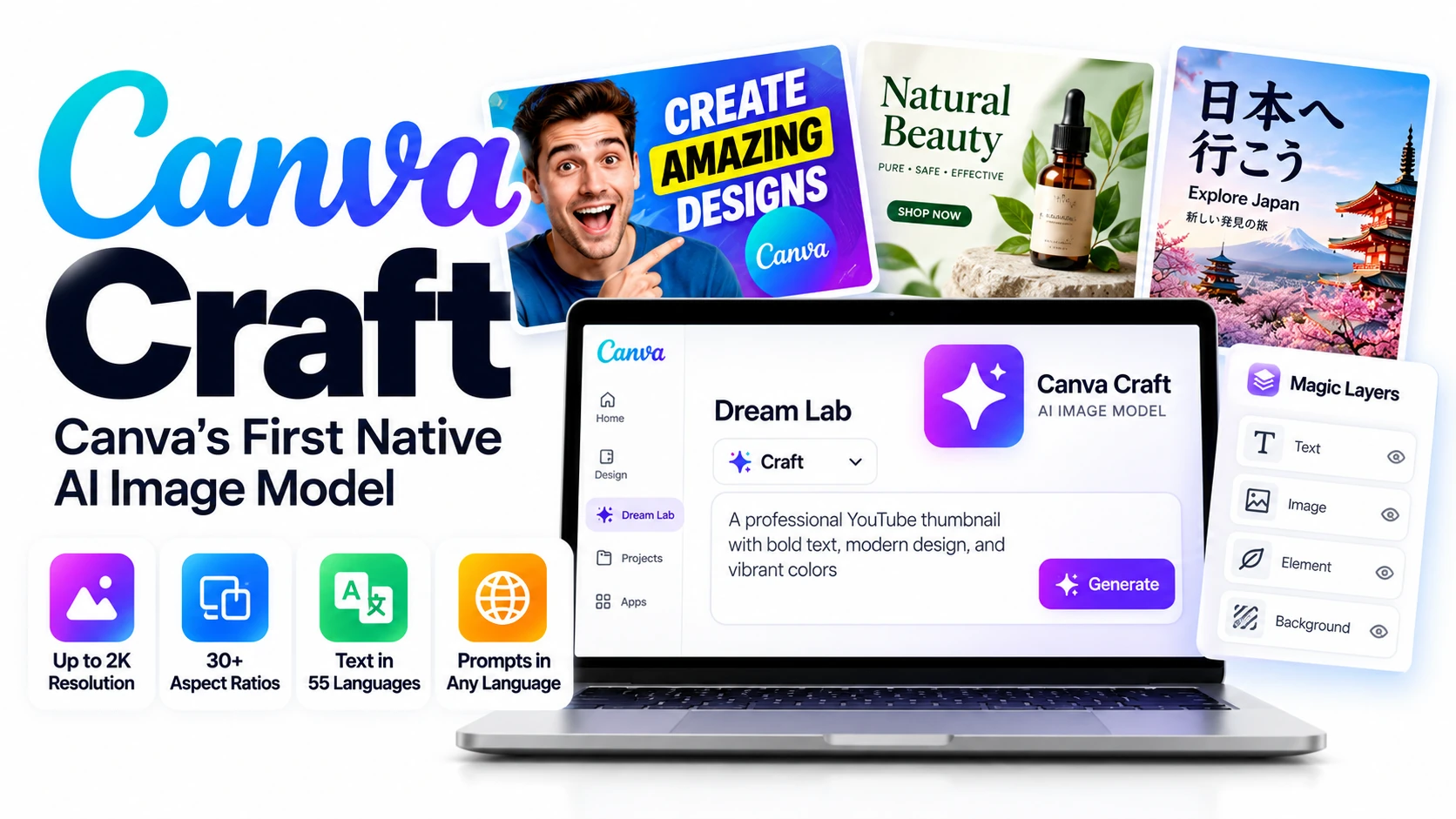
According to Canva’s announcement, the model supports images up to 2K resolution, more than 30 aspect ratios, multilingual prompting, and text generation across 55 languages.
Canva Craft is available globally through Dream Lab, with access also offered through Canva’s public API.
For YouTubers, bloggers, social media managers, and digital marketers, the biggest attraction is the possibility of creating graphics with usable typography and then editing design elements without switching between multiple applications.
But can Canva Craft genuinely replace a workflow involving Midjourney and Photoshop? That question requires hands-on testing.
What Is Canva Craft?
Canva Craft is an AI image model developed and trained by Canva Research, the company’s in-house artificial intelligence team.
Its main goal is to generate images that are not only visually attractive but also suitable for real-world design tasks.
Traditional AI image-generation workflows often involve multiple steps: generate an image, export it, open it in another editor, add text, and adjust individual elements.
Canva Craft aims to simplify that process by combining image generation with Canva’s existing design ecosystem.
One of its most interesting capabilities is the way it plans a composition before rendering the final image.
According to Canva, this helps the model understand where text, objects, and other visual elements should appear.
Key Features of Canva Craft
1. High-resolution AI image generation
Canva Craft generates images at up to 2K resolution and supports more than 30 aspect ratios, including formats suitable for YouTube thumbnails, Instagram posts, stories, advertisements, and banners.
2. Multilingual prompts and text
Users can enter prompts in any language, while the model supports generating text in 55 languages. This could be particularly valuable for creators producing regional-language advertisements and social media graphics.
3. Compatibility with Magic Layers
Canva Craft generates structured compositions designed to work with Canva’s Magic Layers technology, which can turn image content into editable design elements. The accuracy and editability of individual outputs will still need hands-on evaluation.
4. Better control over layouts and typography
The model uses a two-stage architecture: first planning the composition, then rendering the image. Canva says this improves text placement, visual hierarchy, and object positioning.
5. Developer API access
Canva Craft is also accessible through Canva’s public API, allowing developers to explore integrations with marketing tools, e-commerce applications, and automated design workflows. Canva MCP support is planned for a future release.
These capabilities are described in Canva’s official Craft announcement.
How Canva Craft Works: A Different Approach to AI Image Generation
One of Canva Craft’s most significant technical differences is its two-stage image-generation process.
In the first stage, the model interprets a prompt and plans the visual composition. It considers object placement, relative size, typography, spacing, and the overall structure.
In the second stage, a rendering model converts that plan into a finished image.
For example, imagine asking Canva Craft to create a promotional poster for a coffee shop with a product photograph, a large headline, and a promotional message.
Instead of treating the prompt purely as a request for an image, Craft attempts to organize the design elements into a coherent layout.
This approach could reduce common AI image-generation problems, such as poorly positioned text or confusing compositions.
However, Canva’s claims about improved accuracy should be evaluated against real outputs before concluding that Craft consistently outperforms competing image models.
Canva Craft and Magic Layers: Why Editability Matters
For professional creators, generating an attractive image is only part of the job.
Marketing graphics frequently require last-minute changes, such as replacing a headline, adjusting a product’s position, changing colors, or modifying promotional text.
With many conventional AI-generated images, the entire composition is flattened into a single image.
Canva’s Magic Layers technology is designed to help convert image content into editable elements.
Canva Craft is built to produce compositions that are particularly compatible with this process.
Consider a YouTube thumbnail containing a background image, large title, and decorative elements. A creator may want to change the title without regenerating the entire thumbnail.
The potential advantage of Canva Craft is a more streamlined process for generating and editing that design inside Canva.
Whether every generated text element, image object, and decorative component can be edited reliably remains an important question for practical testing.
Canva Craft vs Midjourney and Photoshop
The most interesting question for creators is whether Canva Craft can replace an existing workflow involving Midjourney and Adobe Photoshop.
The answer depends on the type of creative work.
| Feature | Canva Craft | Midjourney | Adobe Photoshop |
|---|---|---|---|
| AI image generation | Yes | Yes | Yes, through generative tools |
| Typography-focused composition | Central design focus | Available, results vary | Strong manual design control |
| Editable design workflow | Magic Layers compatibility | Limited native layer-based editing | Advanced professional layer editing |
| Social media templates | Integrated with Canva | Not a primary feature | Available through manual design workflows |
| Developer integration | Public API announced | No generally available official public API confirmed | Adobe offers developer tools for supported workflows |
| Best potential use | Marketing graphics and rapid design | Creative image exploration | Detailed professional image editing |
Canva Craft may be especially appealing to users who want to generate and edit marketing visuals in one application.
Midjourney remains relevant for artistic image generation, while Photoshop provides extensive professional editing capabilities.
Therefore, it would be premature to declare Canva Craft a complete replacement for either platform.
How Canva Craft Could Help Content Creators
YouTube creators
Canva Craft could help YouTubers generate thumbnail concepts featuring readable titles, strong compositions, and relevant background imagery.
The ability to adjust individual elements through Canva’s editing tools may also make thumbnail revisions easier.
Bloggers and website owners
Bloggers could use Canva Craft to create featured images, tutorial illustrations, comparison graphics, and promotional banners.
For AI-focused websites, the combination of text generation and layout control could be particularly useful.
Instagram and Pinterest creators
With support for multiple aspect ratios, Canva Craft can produce visuals suited to different social media platforms.
Creators may be able to generate a design concept and adapt it for posts, stories, and Pinterest pins.
Small businesses and marketers
Small businesses could use Canva Craft to prepare flyers, promotional graphics, product advertisements, and seasonal marketing materials.
Its multilingual capabilities could also help businesses create campaigns for audiences in different languages.
Developers and automation teams
Through the public API, developers can explore incorporating Canva Craft into automated creative workflows.
Potential applications include generating marketing graphics from product descriptions or preparing visual assets for content-management systems.
However, API limits, pricing, authentication requirements, and output licensing should be verified before production deployment.
How to Access Canva Craft
Canva says the model is available globally to all Canva users through Dream Lab.
To get started:
- Visit Canva and sign in.
- Open Dream Lab from the Canva interface.
- Select Canva Craft if it is presented among the available models.
- Enter a detailed image prompt describing the subject, layout, text, and preferred aspect ratio.
- Generate the image and inspect its text, composition, and visual quality.
- Explore the available editing options, including Magic Layers where supported.
For a practical test, creators could try generating a YouTube thumbnail, a product advertisement, and a multilingual poster.
These three examples would help reveal how well Canva Craft handles typography, visual structure, and editability across different design tasks.
Canva Craft Pricing: Is It Free?
Canva has confirmed that Canva Craft is available to Canva users globally, but its launch announcement does not establish a separate standalone subscription price for Craft.
The company also announced public API availability without specifying a universal per-image API price in the announcement.
This means users should distinguish between general access to the model and the number of generations included with their particular Canva plan.
Before relying on Canva Craft for large-scale content production, check the generation allowances, paid-plan restrictions, and applicable API pricing.
Official pricing: Canva subscription plans
How Good Is Canva Craft Compared With Other AI Image Models?
Canva reports that Craft debuted fourth overall on DesignArena and performed strongly in several categories, including portraits and landscapes.
The company also says its research team evaluated thousands of image comparisons during model development.
These are noteworthy claims, but they should not be treated as proof that Canva Craft is the best choice for every creative task.
For creators, real-world usability matters as much as benchmark rankings.
A useful comparison should examine whether Craft generates accurate text, follows complex layouts, preserves design consistency, and allows practical editing.
For MiviCAI, a particularly useful test would compare Canva Craft with another general-purpose image model using identical prompts for a YouTube thumbnail, product advertisement, and multilingual promotional poster.
That would provide readers with practical evidence rather than relying exclusively on company benchmarks.
Final Verdict: A Promising Step Toward Editable AI Design
Canva Craft represents an important development in AI-powered visual design.
By combining image generation, multilingual text support, composition planning, and compatibility with Magic Layers, Canva is attempting to address one of the biggest limitations of traditional AI image generators: the difficulty of editing generated designs.
Its integration with Dream Lab and availability through a public API could make it valuable for creators, marketers, small businesses, and developers.
However, important questions remain about text accuracy, editing reliability, generation limits, and real-world performance compared with established creative tools.
For now, Canva’s Craft looks like a promising addition to Canva’s design ecosystem rather than a proven replacement for Midjourney and Photoshop.
A detailed hands-on review of Canva Craft, including image quality, text accuracy, Magic Layers editability, and comparisons with competing AI image generators, is coming soon on MiviCAI.com.
Official source: Canva Newsroom — Introducing Canva Craft