Real-time voice AI is moving beyond simple speech-to-text transcription. Modern voice assistants need to understand not only what a person says, but also when they have finished speaking, when they are interrupted and when the AI should respond.
That is the problem Deepgram Flux is designed to address.
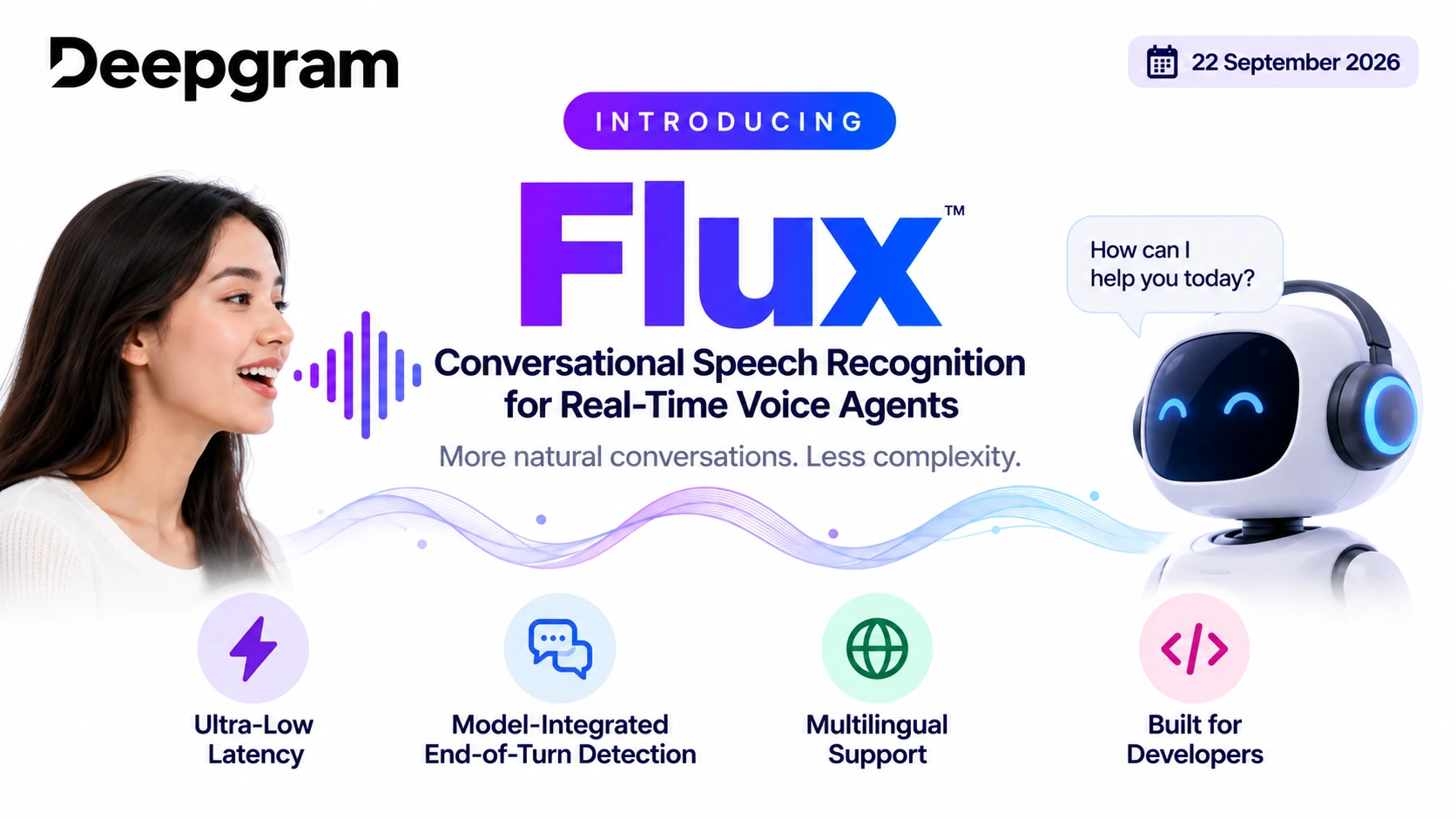
Deepgram has introduced Flux, a conversational speech recognition model built specifically for real-time voice agents. Unlike conventional speech-to-text systems that primarily focus on converting audio into text, Deepgram Flux is designed around the dynamics of human conversation, including turn-taking and end-of-turn detection.
For developers and creators building AI receptionists, customer-support agents, educational assistants, phone bots or interactive voice applications, Deepgram Flux can simplify an important part of the voice-agent architecture.
What Is Deepgram Flux?
Deepgram Flux is a real-time conversational speech recognition model designed specifically for voice-agent applications.
Traditional automatic speech recognition generally answers a straightforward question: “What did the speaker say?”
A conversational voice agent has a more complicated problem:
- Is the speaker finished?
- Should the AI respond now?
- Is the speaker pausing temporarily?
- Has the user interrupted the AI?
- Should the system continue listening?
- When should the LLM receive the completed turn?
According to Deepgram, Deepgram Flux addresses these challenges by incorporating model-integrated end-of-turn detection into the speech recognition system itself. It also provides configurable turn-taking behavior and low-latency streaming designed for voice-agent pipelines.
This means developers don’t necessarily need to reconstruct conversational timing by combining separate speech recognition, VAD and endpointing signals.
Why Deepgram Flux Matters for Voice Agents
One of the biggest challenges in conversational AI is interruption.
Imagine calling an AI customer-service agent and saying:
“I need help changing my—”
The AI assumes you have finished and immediately responds.
That creates an unnatural experience.
The opposite problem can also occur. The system waits too long after the user finishes speaking, creating a noticeable silence before the AI responds.
Deepgram Flux is designed to make this interaction more natural by understanding conversational turn boundaries as part of its speech recognition workflow. Deepgram describes Flux as a model built for conversation rather than transcription alone.
For creators, this can be particularly useful when building applications where responsiveness and natural dialogue are important.
Deepgram Flux vs Traditional Speech Recognition
A conventional voice-agent pipeline can involve several separate components:
Microphone → VAD → Speech-to-Text → Endpointing → LLM → Text-to-Speech → Speaker
Every additional component introduces integration requirements.
With Deepgram Flux, conversational turn detection is integrated into the speech recognition model. Deepgram’s documentation describes Flux as handling the questions of when the system should listen, think and speak.
This does not mean every voice application needs the same architecture. Developers can still choose different turn-taking patterns depending on their latency, complexity and cost requirements. Deepgram’s own agent documentation describes an EndOfTurn-only approach as well as more responsive patterns.
Key Features of Deepgram Flux
1. Model-Integrated End-of-Turn Detection
The most important feature of Deepgram Flux is its native end-of-turn detection.
Instead of relying entirely on a separate VAD or manually designed endpointing system, Flux can identify when a conversational turn has ended.
2. Ultra-Low-Latency Streaming
Real-time voice applications depend heavily on latency.
Deepgram Flux is designed for streaming voice-agent pipelines, allowing speech recognition to operate while the conversation is happening rather than waiting for a complete recording.
3. Configurable Turn-Taking
Deepgram has continued expanding control over Flux’s turn-taking behavior. Its August 2026 documentation describes three modes: automatic detection, semi-manual control and fully manual control.
This gives developers more control over how their applications handle conversational boundaries.
4. Multilingual Support
Deepgram also offers Flux Multilingual, extending the conversational speech recognition architecture to 10 languages: English, Spanish, French, German, Hindi, Russian, Portuguese, Japanese, Italian and Dutch.
This could be useful for creators building voice applications for international audiences.
5. Integration With LLMs and TTS
Deepgram Flux doesn’t require developers to use a specific large language model.
Deepgram’s documentation demonstrates a voice-agent architecture using Flux for speech recognition, OpenAI for the LLM and Deepgram Aura-2 for text-to-speech. Developers can adapt the architecture to their own technology stack.
How Deepgram Flux Can Help Creators
The technology isn’t limited to enterprise developers. Independent creators can also use Deepgram Flux as the speech-recognition layer for AI-powered applications.
AI YouTube Assistants
Creators could build voice-controlled research or content assistants that understand spoken instructions and respond conversationally.
Interactive Educational Tools
An education creator could develop an AI tutor that listens to students and responds after detecting the natural end of each question.
AI Customer-Service Agents
Small businesses can integrate conversational voice agents into websites or applications to answer common questions.
Voice-Based Productivity Apps
Creators can develop assistants for reminders, scheduling, information retrieval and other voice-controlled workflows.
Gaming and Interactive Characters
Game developers can combine Deepgram Flux with an LLM and TTS engine to create characters capable of more natural voice interactions.
Deepgram Flux Pricing and Plans
Deepgram’s current offering is primarily usage-based rather than a traditional fixed monthly subscription. The company currently lists Pay As You Go and Growth options, with Enterprise arrangements available for larger deployments.
| Plan | Pricing structure | Suitable for |
|---|---|---|
| Pay As You Go | No minimum; usage-based | Developers, testing and startups |
| Growth | Starts at $4,000/year | Growing applications |
| Enterprise | Custom | Large-scale production |
The Pay As You Go option currently includes a $200 free credit, with no minimum commitment and no expiration on the plan itself. The Growth option starts at $4,000+ per year and can provide discounted usage and higher concurrency limits.
For Flux English streaming, Deepgram currently lists a promotional Pay As You Go rate of $0.0065 per minute, while the listed Growth rate is $0.0057 per minute. Deepgram also lists Flux Multilingual at $0.0078 per minute for Pay As You Go and $0.0068 per minute for Growth. Pricing can change, so creators should verify the official pricing page before purchasing.
Deepgram also provides a Voice Agent API that packages speech recognition, LLM orchestration and text-to-speech into a broader real-time conversational system.
How to Use Deepgram Flux: Step-by-Step
Getting started with Deepgram Flux can be approached as a straightforward voice-agent workflow.
Step 1: Create a Deepgram Account
Visit the official Deepgram website and create an account.
The Pay As You Go offering currently provides $200 in free credit for new users.
Step 2: Create an API Key
Open the Deepgram developer console and create an API key for your project.
Keep the API key private and never expose it directly inside a public website or application.
Step 3: Select Flux
For English conversational speech recognition, Deepgram provides the flux-general-en model.
For multilingual applications, developers can use flux-general-multi.
Step 4: Connect Your Audio Input
Connect your microphone, phone call stream or application audio source to the Deepgram streaming endpoint.
Your application sends audio continuously rather than waiting for the entire conversation to finish.
Step 5: Process the Conversational Turn
Deepgram Flux analyzes the incoming speech and determines when the conversational turn has ended.
Your application can then pass the completed turn to an LLM.
Step 6: Send the Text to an LLM
Connect Flux to an LLM such as OpenAI or another model provider.
The LLM generates the appropriate response based on the user’s request.
Step 7: Convert the Response to Speech
Send the LLM response to a text-to-speech system such as Deepgram’s TTS products or another compatible provider.
Step 8: Play the Response
The generated audio is returned to the user.
The complete workflow becomes:
User speaks → Deepgram Flux → LLM → TTS → User hears response
Deepgram provides an official tutorial demonstrating a similar architecture using Flux, an LLM and Deepgram Aura-2.
Why Deepgram Flux Could Be Important for the Future of Voice AI
The development of Deepgram Flux reflects a broader shift in voice AI.
Earlier speech systems were largely designed around transcription. Modern voice agents need something more sophisticated: they need to understand the rhythm and structure of a conversation.
That includes pauses, interruptions, turn boundaries and response timing.
By integrating conversational turn detection into the speech recognition layer, Deepgram Flux gives developers a different approach to building real-time voice applications.
For creators, this could mean less time designing complicated voice-detection logic and more time focusing on the actual experience they want to build.
Deepgram Flux: Final Takeaway
Deepgram Flux is designed specifically for the challenges of real-time conversational AI. Its model-integrated end-of-turn detection, configurable turn-taking, streaming architecture and multilingual capabilities make it particularly relevant to developers building voice agents.
For creators, the biggest opportunity is not simply better transcription. It is the ability to build voice applications that can listen, understand, respond and handle conversational timing more naturally.
With usage-based pricing, an available free credit allowance and documented integrations with LLM and TTS components, Deepgram Flux provides a practical foundation for experimenting with next-generation voice agents.
Frequently Asked Questions
A real-time conversational speech recognition model built specifically for voice-agent applications, designed around the dynamics of human conversation rather than transcription alone — including turn-taking and end-of-turn detection.
Traditional ASR mainly answers “what did the speaker say?” Flux also addresses conversational timing questions — whether the speaker is finished, pausing, or has interrupted the AI — by incorporating end-of-turn detection into the recognition model itself.
Interruption and awkward pauses. A voice agent that responds too early cuts the user off; one that waits too long creates unnatural silence. Flux aims to detect conversational turn boundaries more naturally.
Model-integrated end-of-turn detection, ultra-low-latency streaming, configurable turn-taking (automatic, semi-manual and fully manual modes as of Deepgram’s August 2026 documentation), multilingual support, and flexible integration with any LLM and TTS provider.
English, Spanish, French, German, Hindi, Russian, Portuguese, Japanese, Italian and Dutch — 10 languages total.
No. Deepgram’s documentation demonstrates an architecture using Flux for speech recognition, OpenAI for the LLM, and Deepgram Aura-2 for text-to-speech, but developers can adapt it to their own stack.
User speaks → Deepgram Flux → LLM → TTS → user hears response. Flux determines when the conversational turn has ended before passing it to the LLM.
Pricing is usage-based. Pay As You Go includes $200 in free credit with no minimum commitment; Growth starts at $4,000+/year with discounted rates and higher concurrency; Enterprise is custom. Flux English streaming is listed around $0.0065/minute (Pay As You Go) and $0.0057/minute (Growth); Flux Multilingual is listed around $0.0078/minute and $0.0068/minute respectively.
flux-general-en for English conversational speech recognition, and flux-general-multi for multilingual applications.
Beyond enterprise developers, independent creators can use it for AI YouTube assistants, interactive educational tools, customer-service agents, voice-based productivity apps, and gaming or interactive characters.
Official resources:
Deepgram Flux Documentation
Deepgram Pricing
Deepgram Flux Announcement
Pricing, promotional rates and product availability can change. Check Deepgram’s official pricing and documentation before publishing commercial pricing information.